
year
2025
year
2025
timeframe
4 weeks
timeframe
4 weeks
industry
Automobile
industry
Automobile
category
B2B SaaS
category
B2B SaaS
A service app that helps automobile technicians to perform their tasks in a step by step video based guided manner that protects from service delays
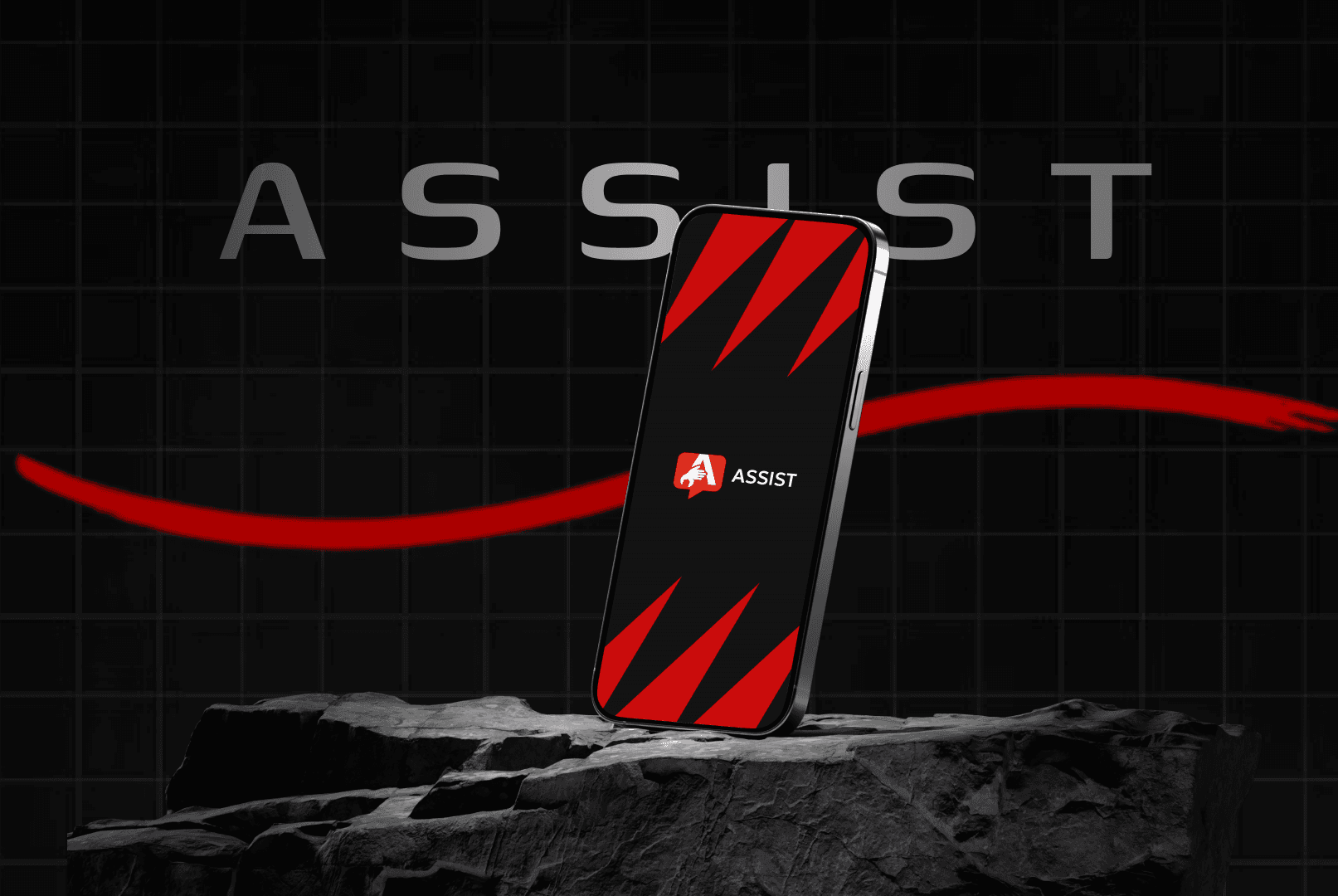
ASSIST
Project headline
Helping automobile technicians finish tasks with ease
Context
Automotive & Mobility · B2B · Mobile / Web
Role
UX/UI Designer · Systems → UI
the Project Overview
Assist is a mobile-first product designed to help automobile technicians complete service tasks confidently using step-by-step visual guidance and short embedded videos.
It was my Master’s graduation project, where I owned the process end-to-end — from Research, Problem framing, Prototyping to UI, and branding.
The goal was to solve a real workshop problem where speed, accuracy, and confidence directly affect business outcomes.
the Problem Definition
In most service centers, technicians rely on handwritten job cards and verbal instructions. When they get stuck mid-task, they pause their work, wait for peers or supervisors, and lose momentum. This causes delays in service time, errors, and workshop interruptions.
The core challenge was clear: "How might we reduce mistakes and dependency on supervisors without slowing technicians down?"
the Research Process
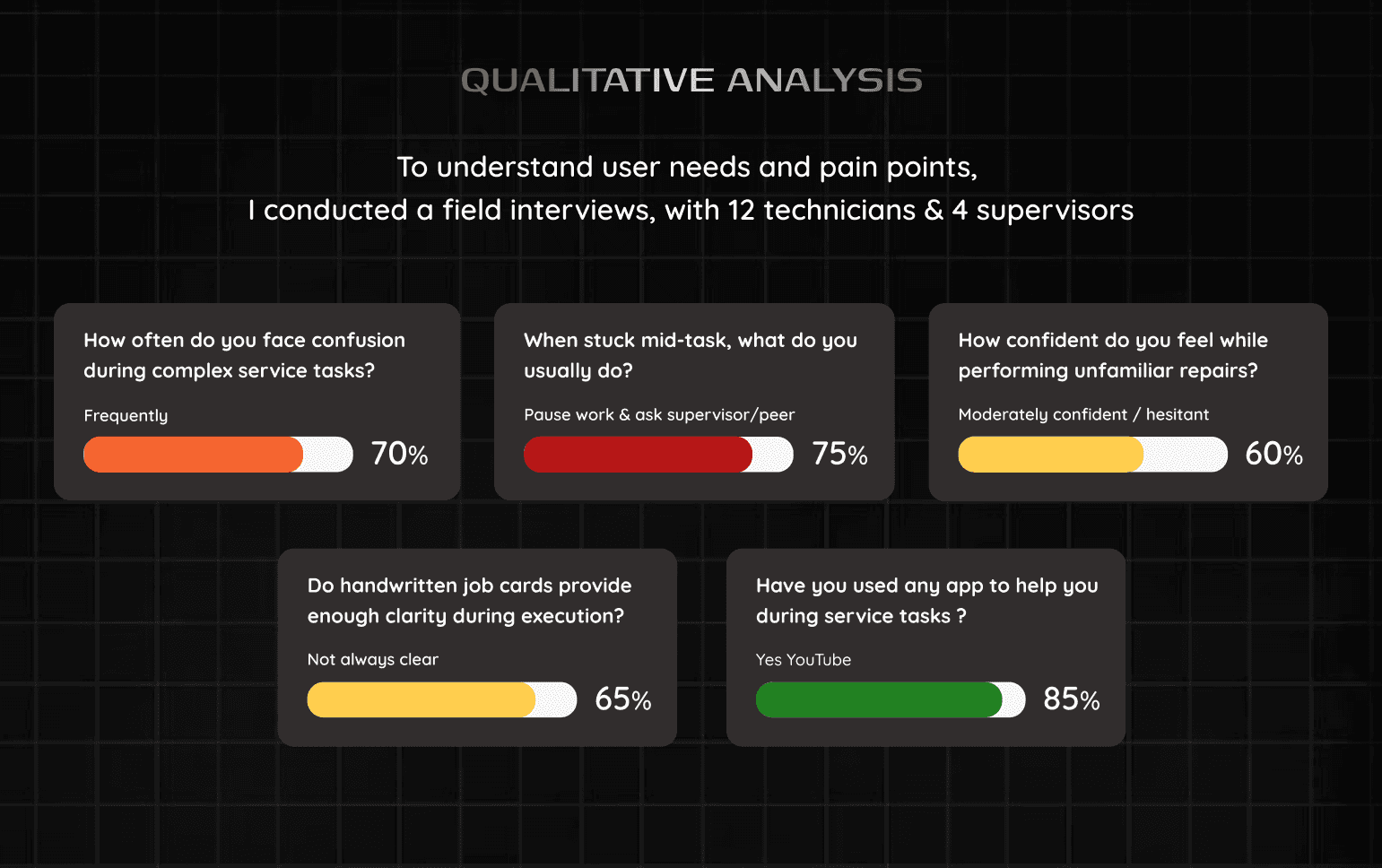
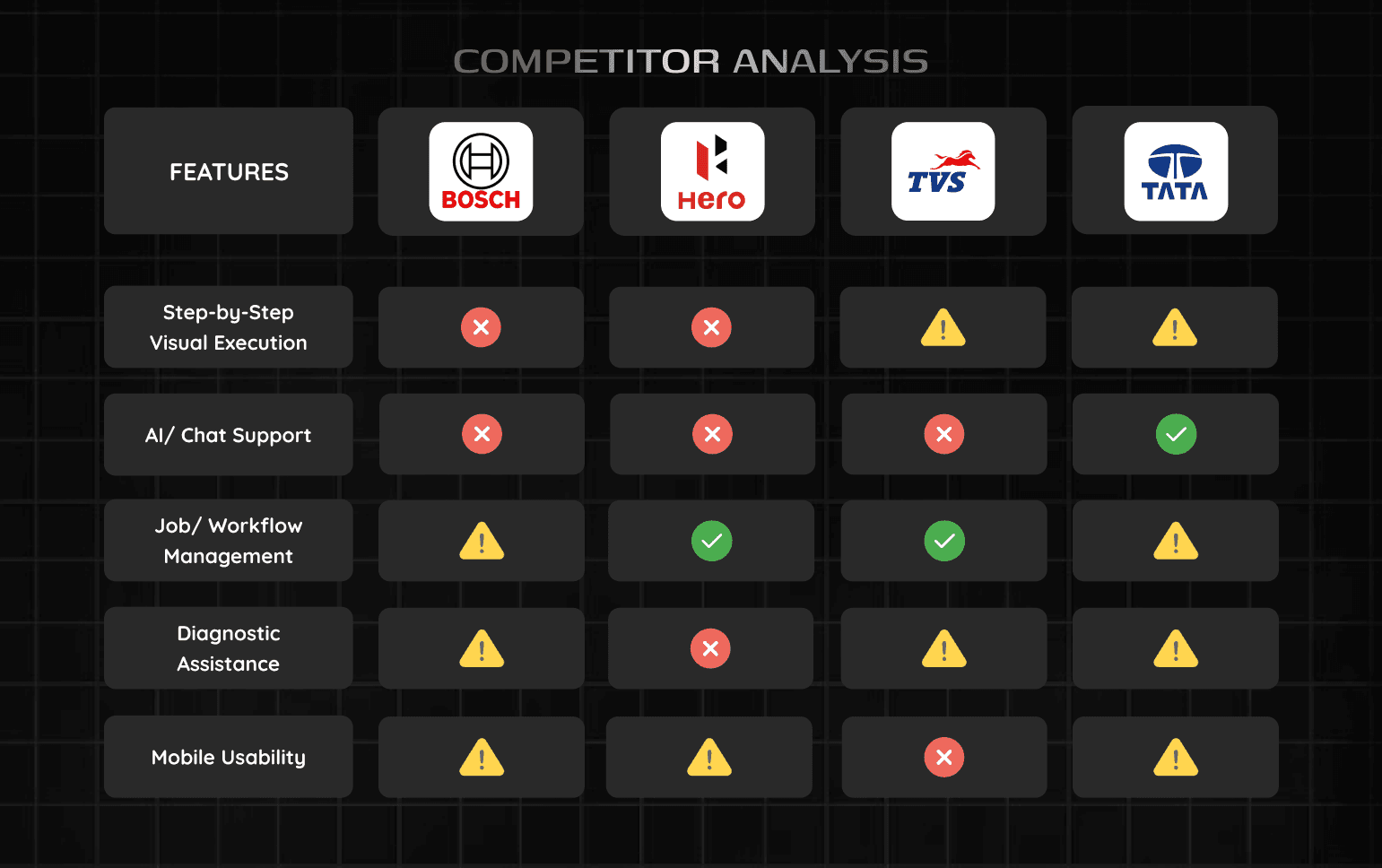
To understand this deeply, I spent 2 weeks across 4 active service centers in Jaipur, India observing real workflows and tracking cars from drop-off to delivery.
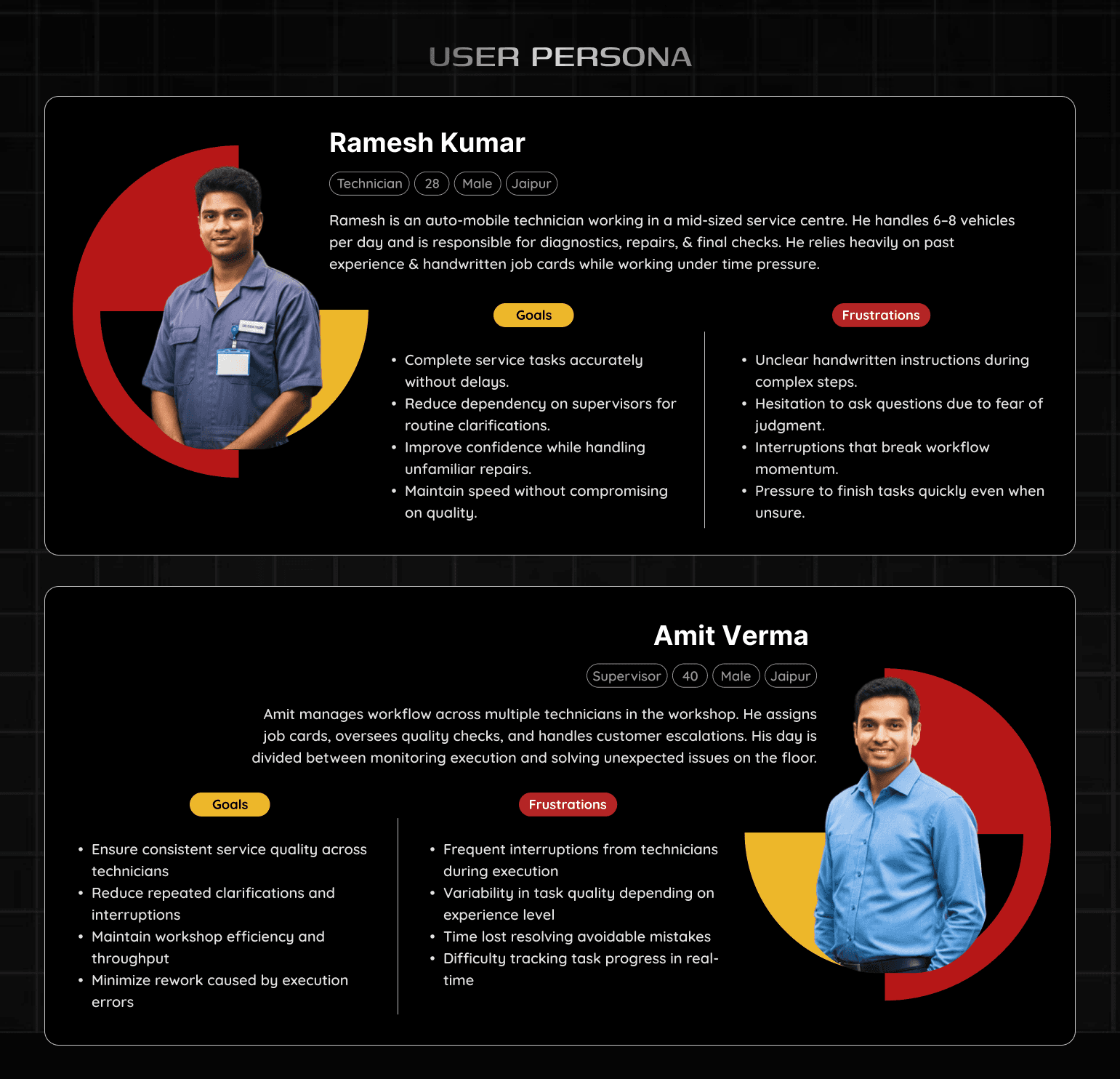
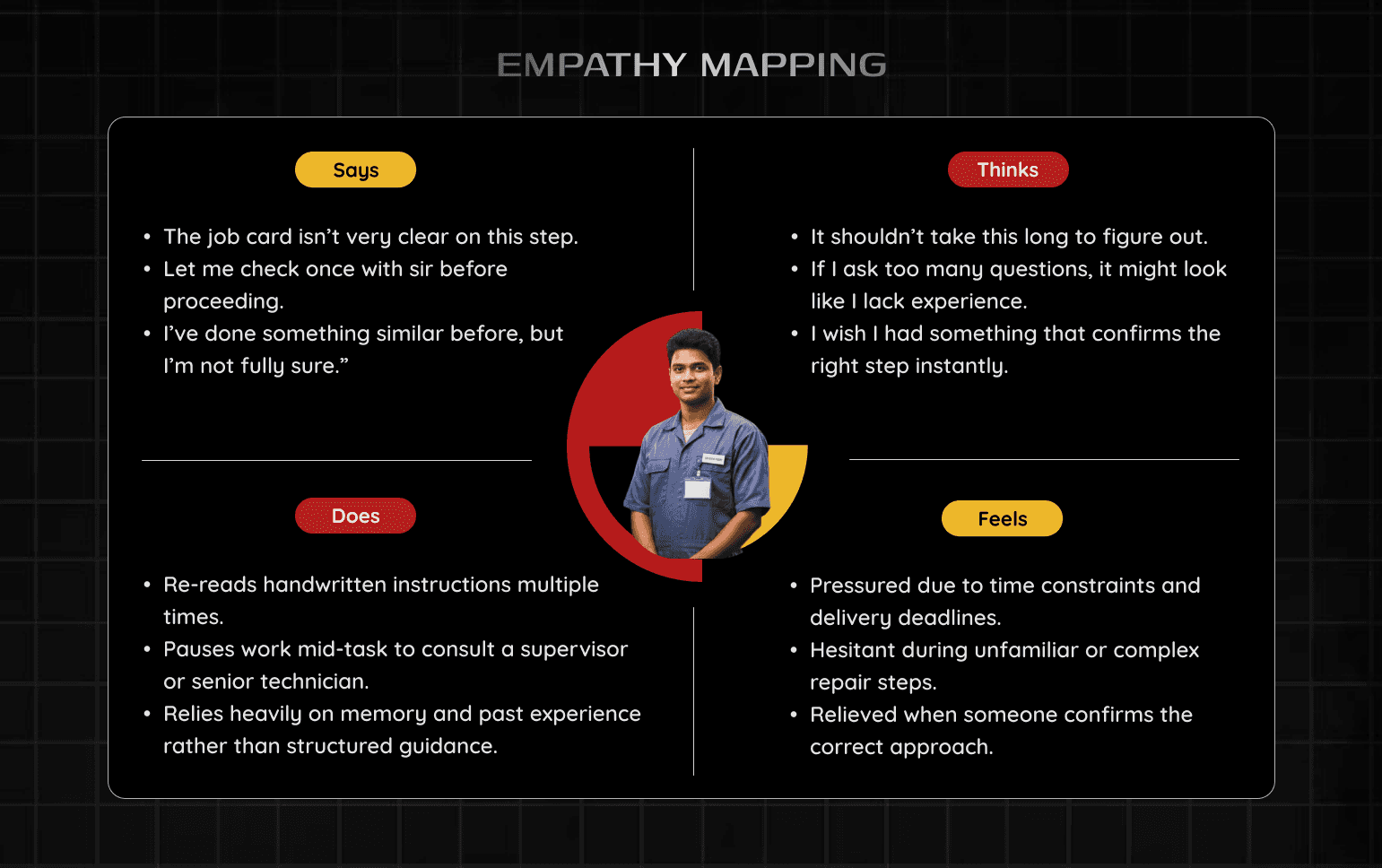
I conducted 12+ contextual interviews with technicians and supervisors to empathise with the stakeholders on ground.
Beyond process gaps, I also uncovered emotional friction —like hesitation to ask for help, fear of embarrassment, and cognitive overload during complex tasks.
the User Journey
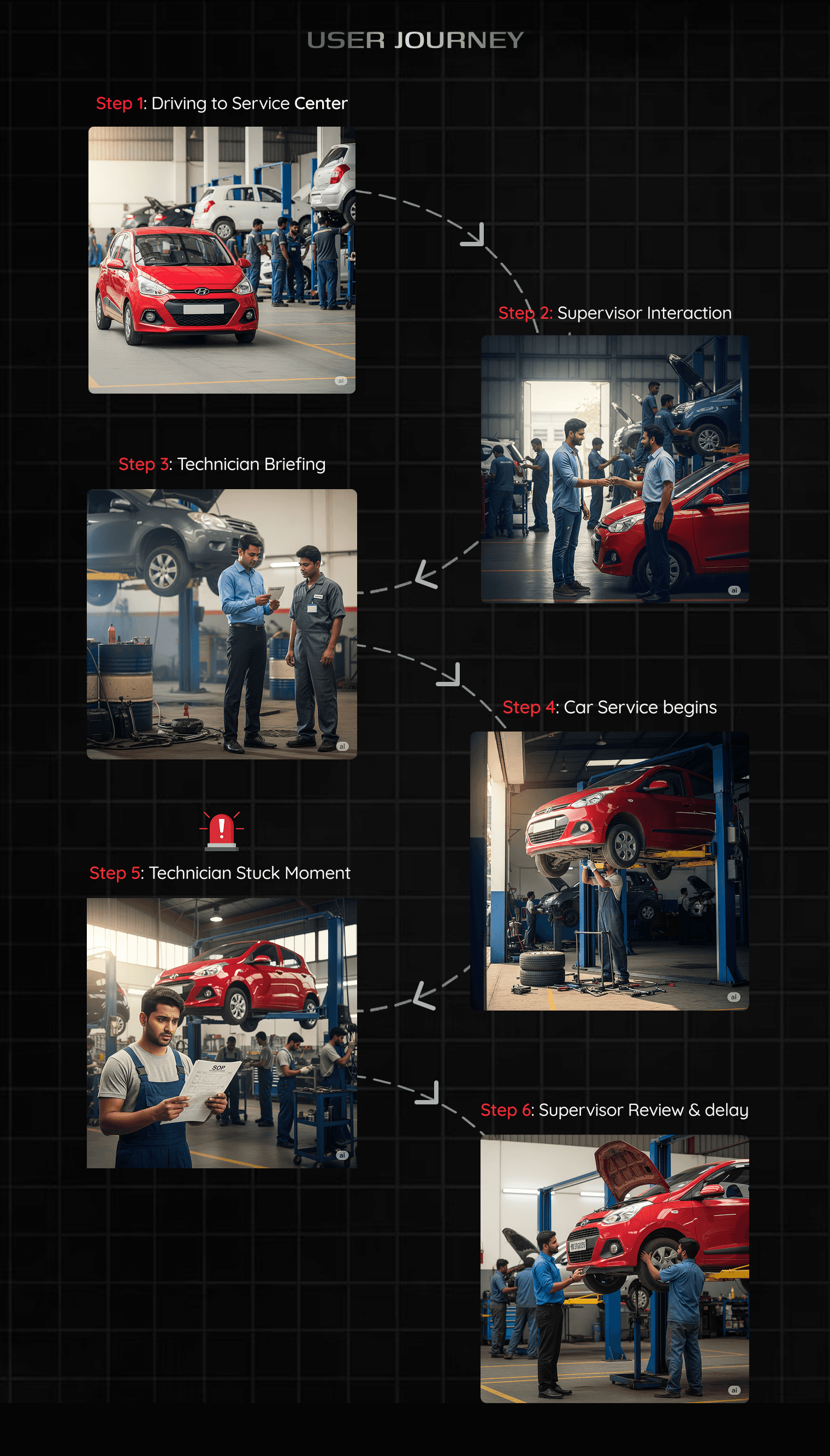
Based on this Field Research - next I mapped the end-to-end Journey of the user from the POV of the artifact (a car) and this Mapping revealed the clear breakdown point.
Technicians start the tasks confidently, but during complex execution steps - unclear written instructions cause interruptions, stress and delay in service timings. This is especially true for workers with lower levels of literacy.
This moment — mid-task execution — was where productivity, confidence, and time were lost. That insight defined where Assist needed to intervene.
the Opportunities Discovered
Research revealed that technicians need immediate, visual, and recognition-based guidance, not manuals or long text.
Focus in tasks matter & interruptions break the flow. Literacy levels vary a lot, so visuals work better than reading.
There was a strong opportunity to embed guidance directly into the workflow to improve speed, accuracy, and independence.
the Decisions Taken
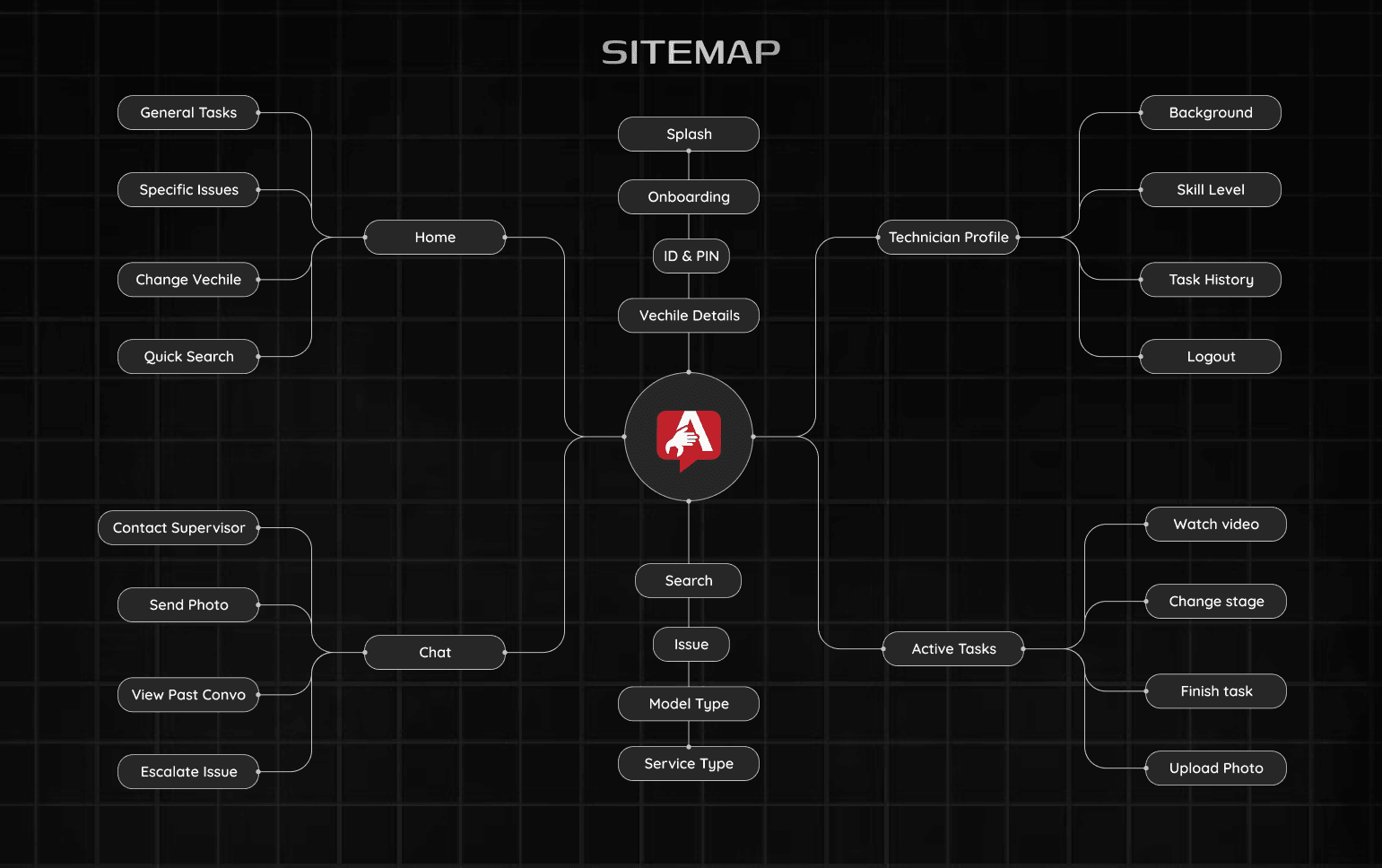
Based on these insights, I designed Assist as a guided execution system with linear task flows, clear visual cues, and optional short videos for complex steps.
The UI was optimized for workshop conditions — with high contrast, large touch targets, minimal text.
Every decision was tied to business impact: fewer interruptions, faster execution, and reduced supervisor dependency.
the Experience created
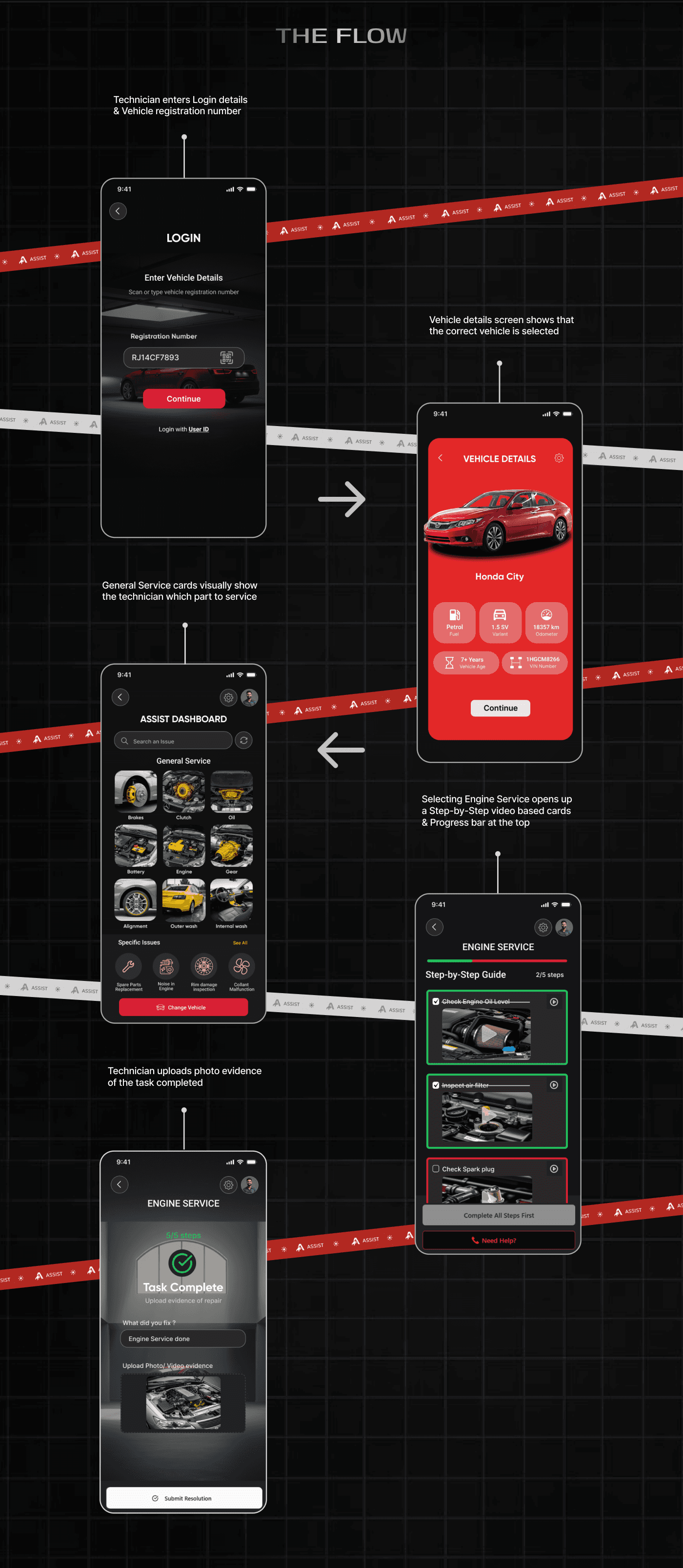
The resulting experience is simple and task-driven. Technicians open Assist, enter vechile details, select the relevant service task, and receive clear visual guidance as they work.
Each step is visually apparant, short, skippable, and designed to support action rather than slow it down.
This experience prioritizes momentum, helping technicians move forward confidently instead of pausing to seek help.
the UI & Branding
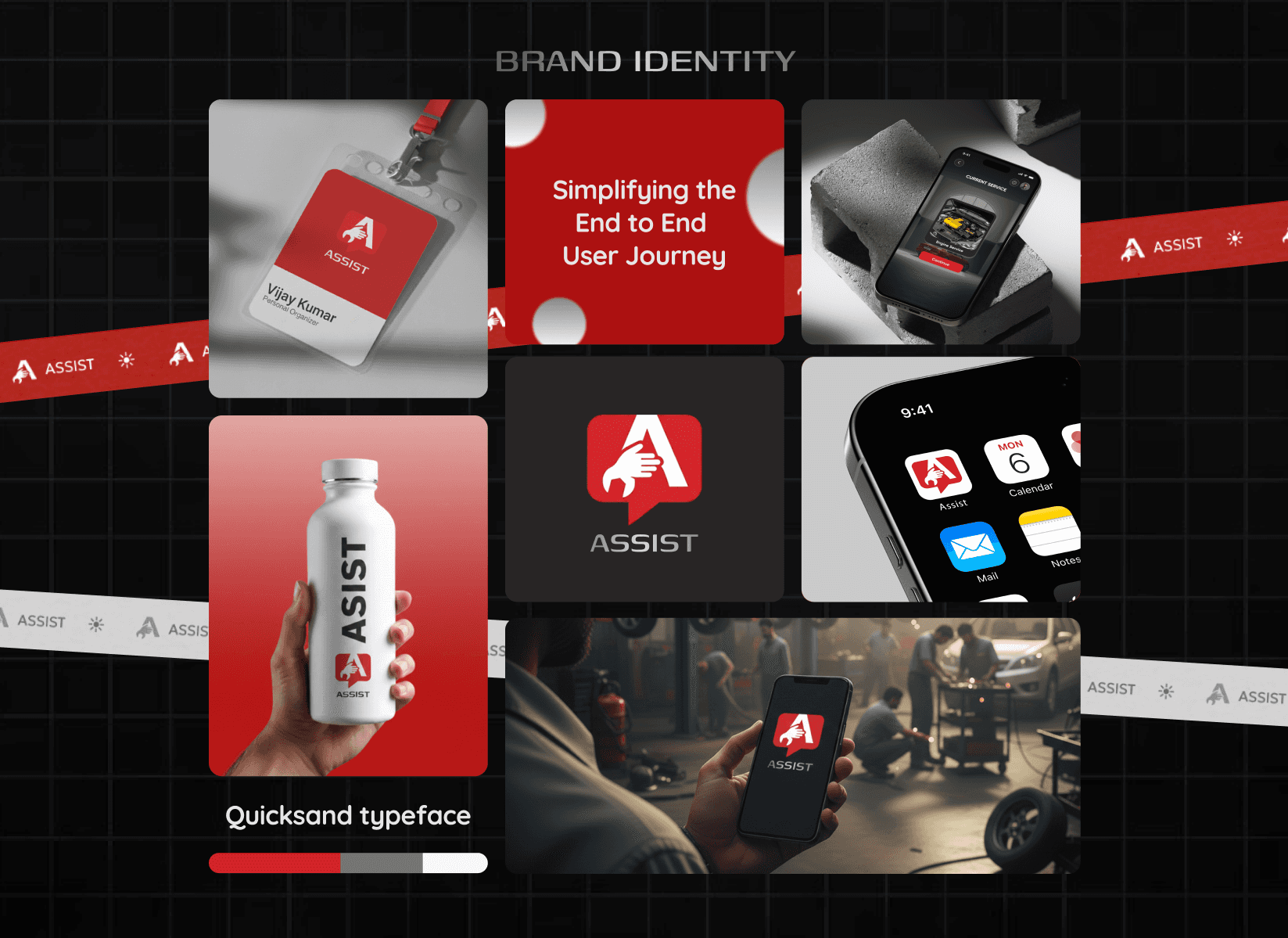
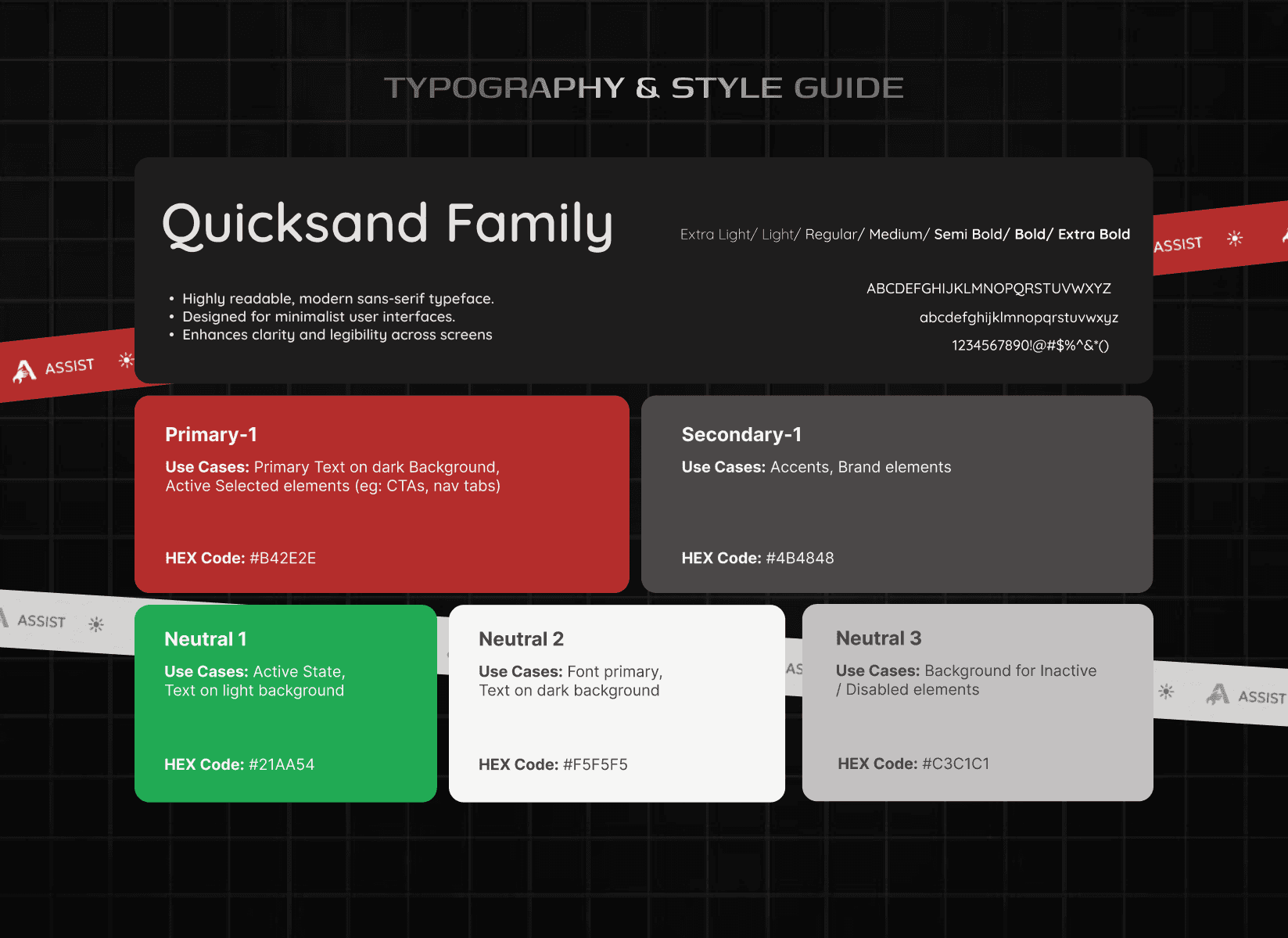
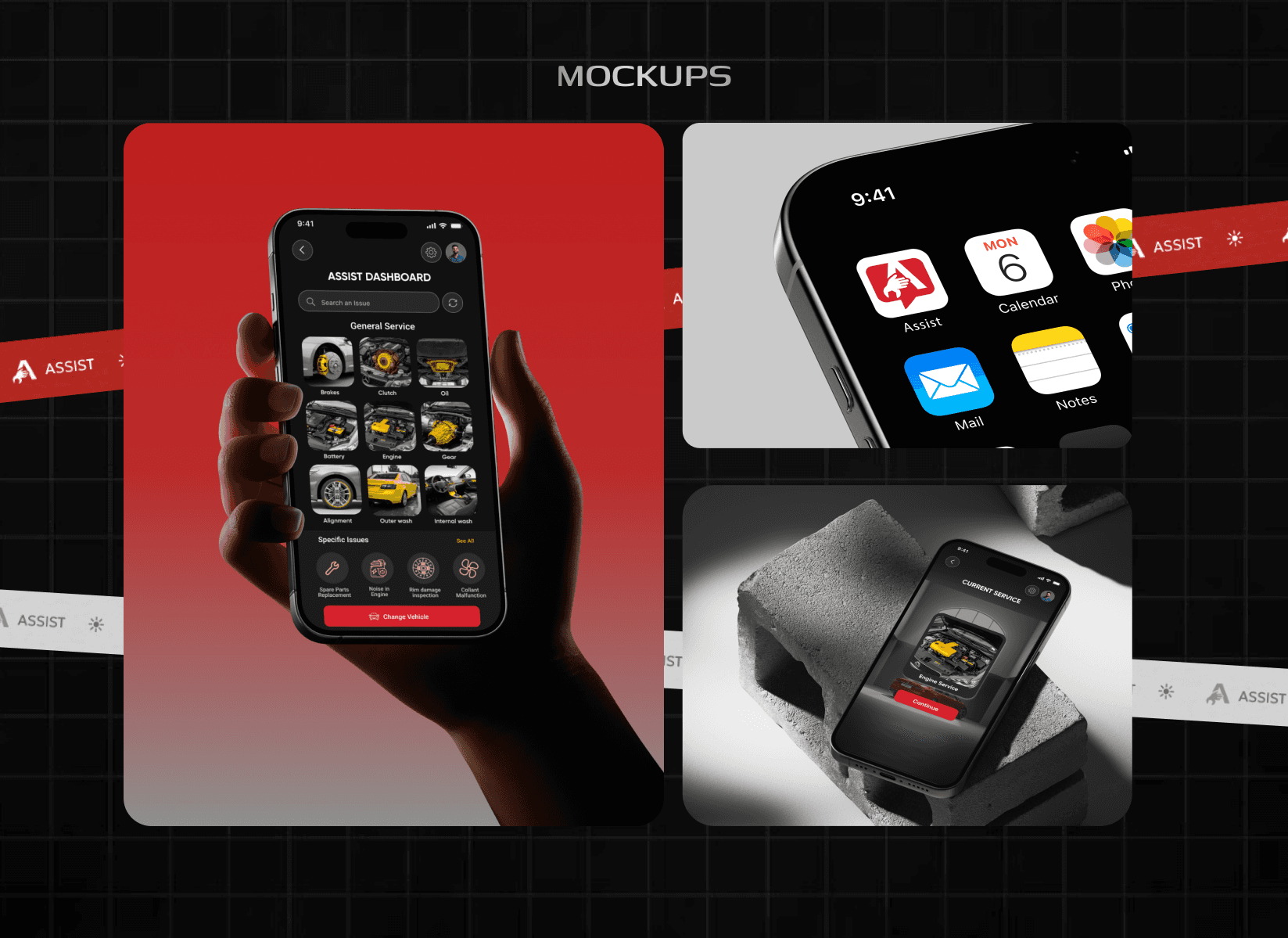
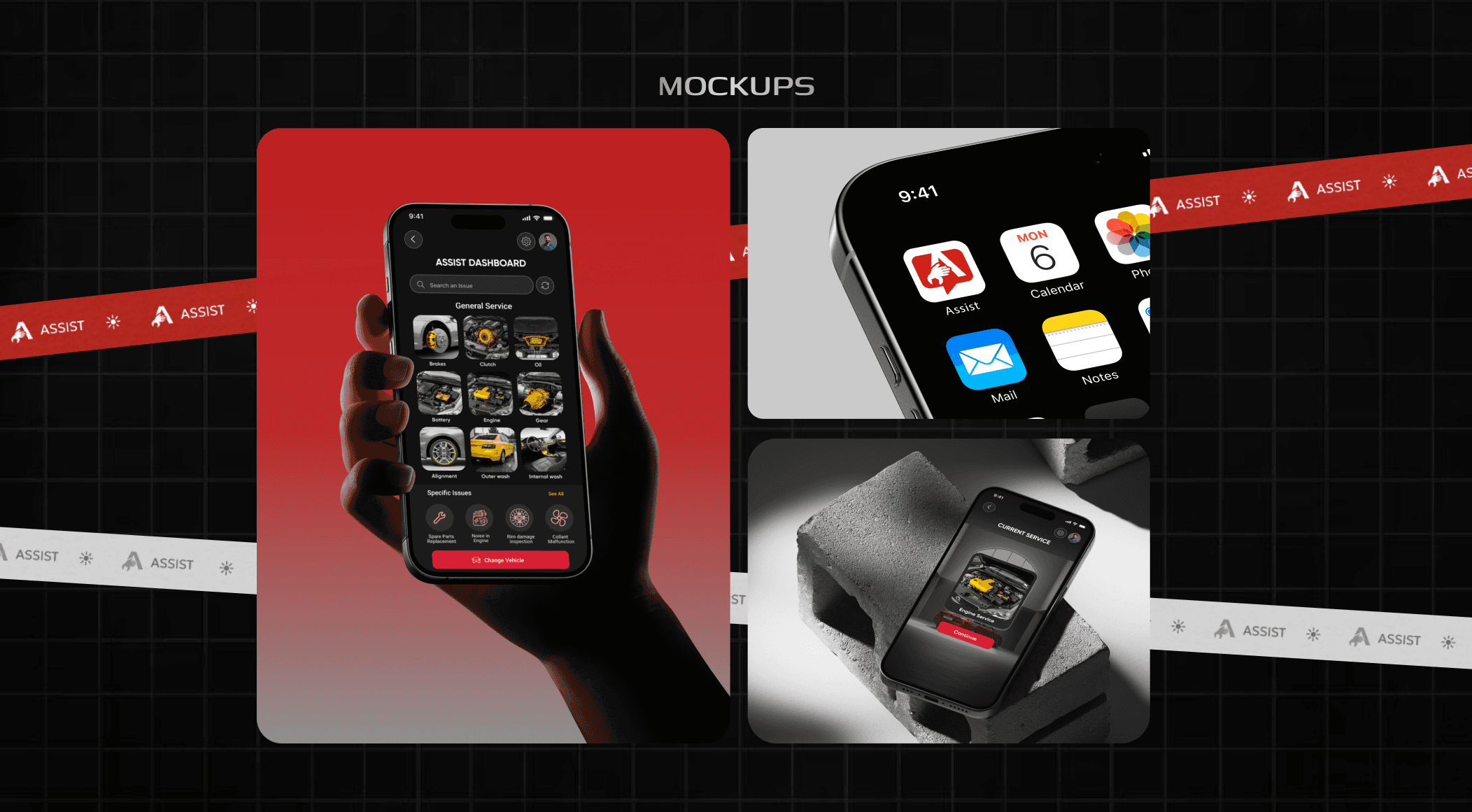
The interface was designed for real workshop conditions and prioritizes clarity over polish — large cards, part-focused visuals, and distraction-free layouts.
High contrast ensures visibility, large touch targets support oily hands, and visual parts recognition replaces text-heavy instructions. Short visual aids support complex steps with minimal cognitive load.
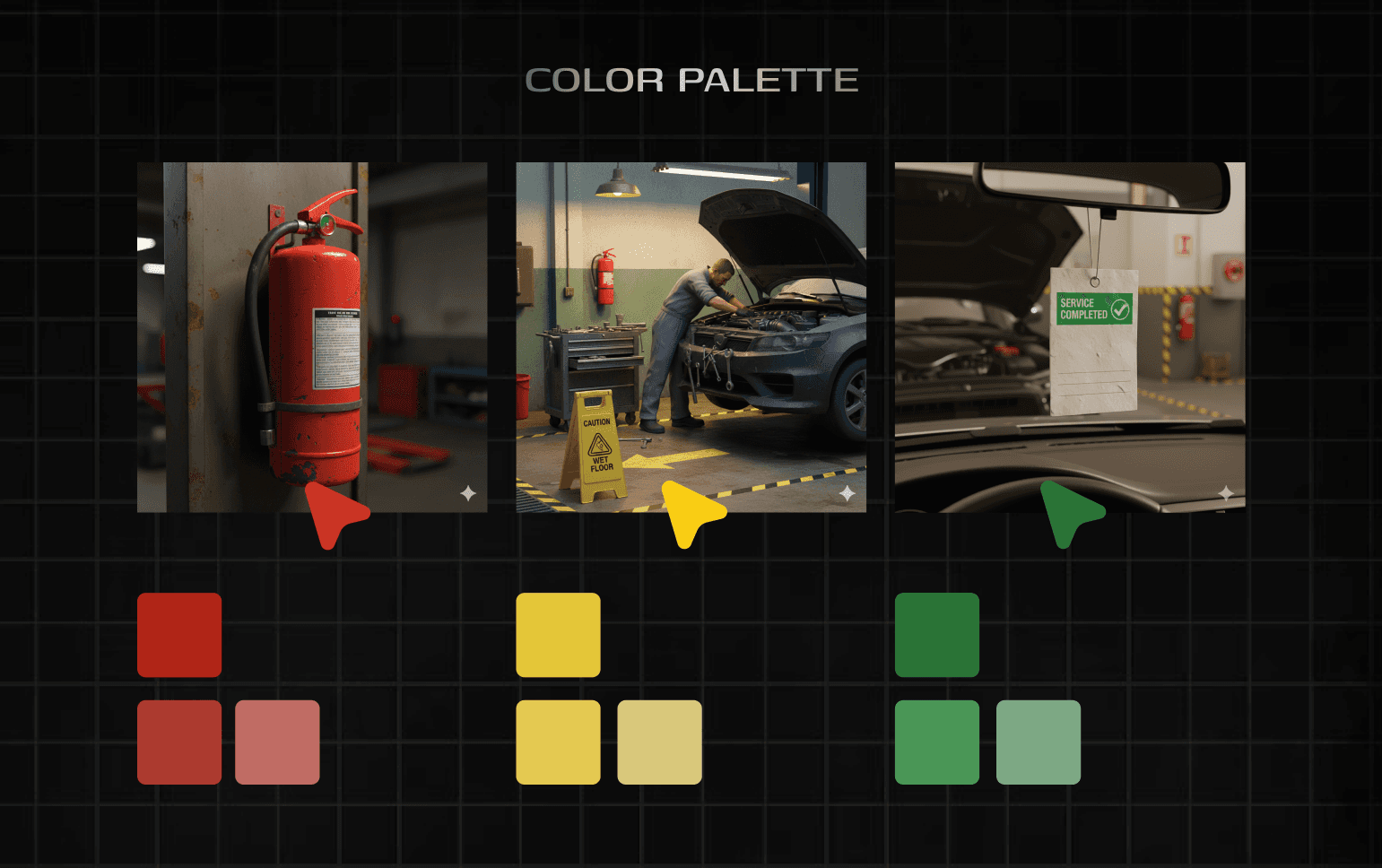
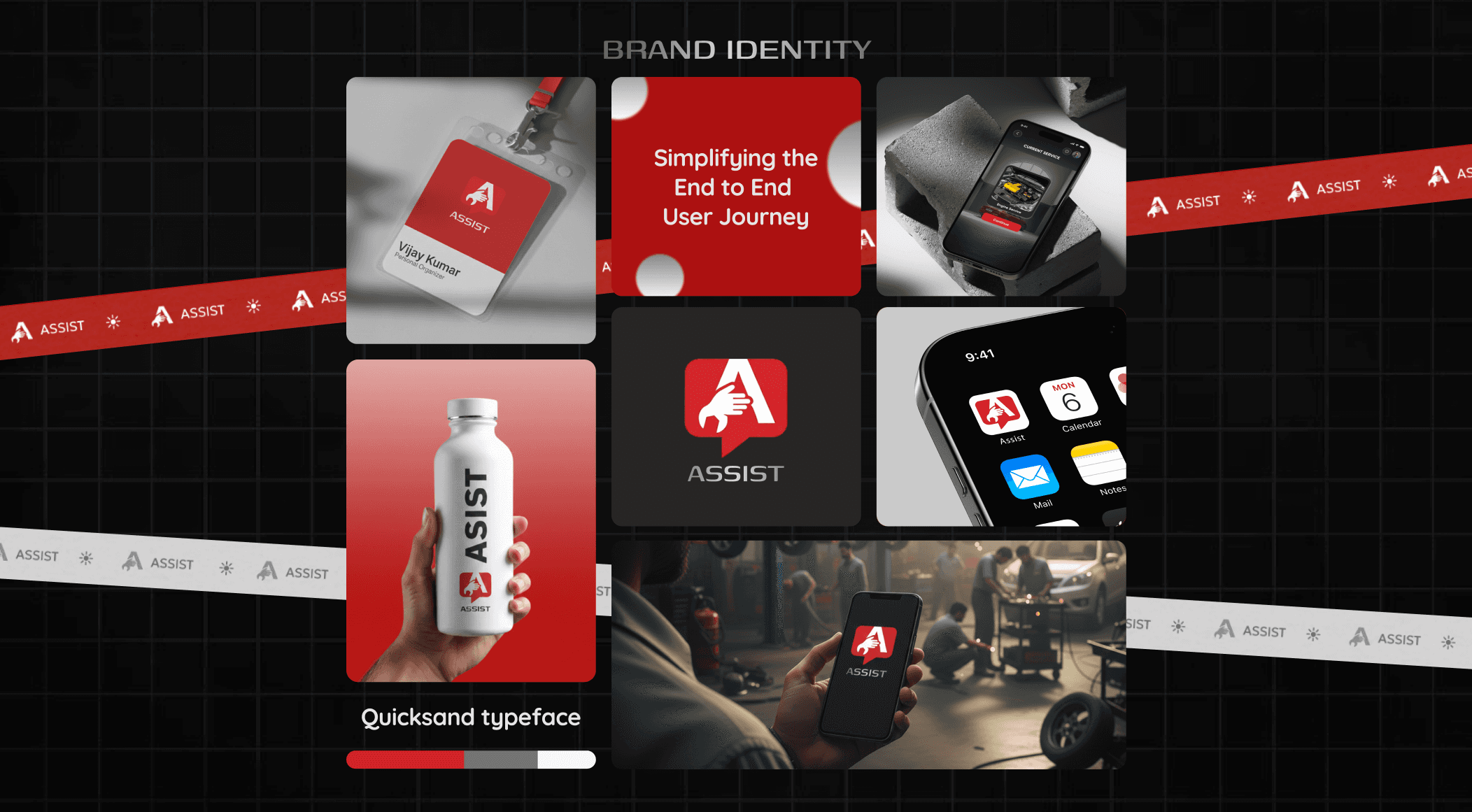
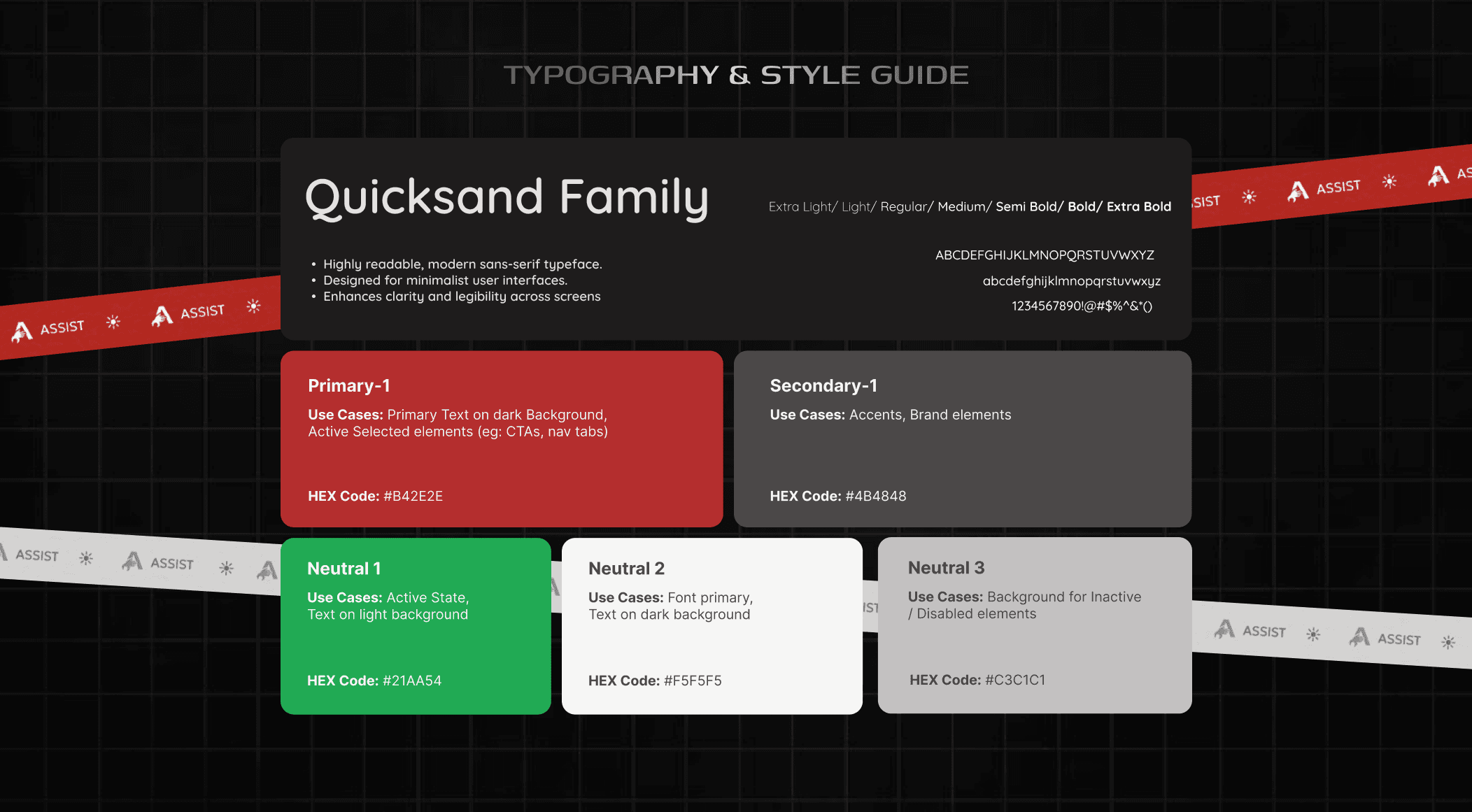
The Branding reinforces reliability and trust, aligning the product with workshop efficiency rather than consumer aesthetics. The whole product identity conveys the feeling of a serious operational tool.
the Impact & Takeaways
Assist demonstrates how UX can directly improve operations. It reduces hesitation, minimizes interruptions, and increases technician autonomy.
Impact would be measured through task completion time, supervisor interventions, and technician confidence.
Key learning: good UX protects flow when pressure is highest.
Expected outcomes:
Reduced task completion time
Fewer supervisor interruptions
Increased technician confidence and independence
More consistent service quality across technicians
Success metrics included:
Task completion time per service
Frequency of supervisor intervention
Error and rework rates
Technician confidence and adoption feedback
Assist reframes UX as a tool for operational efficiency, not just usability.
the Growth & Learnings
This project strengthened my ability to:
Translate field observations into system-level UX decisions
Design for high-pressure, non-ideal environments
Balance speed, accuracy, and cognitive load
Anchor design decisions in real operational constraints
Key learning:
Good UX protects flow when pressure is highest — and that’s where it creates the most value.
ASSIST
Project headline
Helping automobile technicians finish tasks with ease
Context
Automotive & Mobility · B2B · Mobile / Web
Role
UX/UI Designer · Systems → UI
the Project Overview
Assist is a mobile-first product designed to help automobile technicians complete service tasks confidently using step-by-step visual guidance and short embedded videos.
It was my Master’s graduation project, where I owned the process end-to-end — from Research, Problem framing, Prototyping to UI, and branding.
The goal was to solve a real workshop problem where speed, accuracy, and confidence directly affect business outcomes.
the Problem Definition
In most service centers, technicians rely on handwritten job cards and verbal instructions. When they get stuck mid-task, they pause their work, wait for peers or supervisors, and lose momentum. This causes delays in service time, errors, and workshop interruptions.
The core challenge was clear: "How might we reduce mistakes and dependency on supervisors without slowing technicians down?"
the Research Process
To understand this deeply, I spent 2 weeks across 4 active service centers in Jaipur, India observing real workflows and tracking cars from drop-off to delivery.
I conducted 12+ contextual interviews with technicians and supervisors to empathise with the stakeholders on ground.
Beyond process gaps, I also uncovered emotional friction —like hesitation to ask for help, fear of embarrassment, and cognitive overload during complex tasks.
the User Journey
Based on this Field Research - next I mapped the end-to-end Journey of the user from the POV of the artifact (a car) and this Mapping revealed the clear breakdown point.
Technicians start the tasks confidently, but during complex execution steps - unclear written instructions cause interruptions, stress and delay in service timings. This is especially true for workers with lower levels of literacy.
This moment — mid-task execution — was where productivity, confidence, and time were lost. That insight defined where Assist needed to intervene.
the Opportunities Discovered
Research revealed that technicians need immediate, visual, and recognition-based guidance, not manuals or long text.
Focus in tasks matter & interruptions break the flow. Literacy levels vary a lot, so visuals work better than reading.
There was a strong opportunity to embed guidance directly into the workflow to improve speed, accuracy, and independence.
the Decisions Taken
Based on these insights, I designed Assist as a guided execution system with linear task flows, clear visual cues, and optional short videos for complex steps.
The UI was optimized for workshop conditions — with high contrast, large touch targets, minimal text.
Every decision was tied to business impact: fewer interruptions, faster execution, and reduced supervisor dependency.
the Experience created
The resulting experience is simple and task-driven. Technicians open Assist, enter vechile details, select the relevant service task, and receive clear visual guidance as they work.
Each step is visually apparant, short, skippable, and designed to support action rather than slow it down.
This experience prioritizes momentum, helping technicians move forward confidently instead of pausing to seek help.
the UI & Branding
The interface was designed for real workshop conditions and prioritizes clarity over polish — large cards, part-focused visuals, and distraction-free layouts.
High contrast ensures visibility, large touch targets support oily hands, and visual parts recognition replaces text-heavy instructions. Short visual aids support complex steps with minimal cognitive load.
The Branding reinforces reliability and trust, aligning the product with workshop efficiency rather than consumer aesthetics. The whole product identity conveys the feeling of a serious operational tool.
the Impact & Takeaways
Assist demonstrates how UX can directly improve operations. It reduces hesitation, minimizes interruptions, and increases technician autonomy.
Impact would be measured through task completion time, supervisor interventions, and technician confidence.
Key learning: good UX protects flow when pressure is highest.
Expected outcomes:
Reduced task completion time
Fewer supervisor interruptions
Increased technician confidence and independence
More consistent service quality across technicians
Success metrics included:
Task completion time per service
Frequency of supervisor intervention
Error and rework rates
Technician confidence and adoption feedback
Assist reframes UX as a tool for operational efficiency, not just usability.
the Growth & Learnings
This project strengthened my ability to:
Translate field observations into system-level UX decisions
Design for high-pressure, non-ideal environments
Balance speed, accuracy, and cognitive load
Anchor design decisions in real operational constraints
Key learning:
Good UX protects flow when pressure is highest — and that’s where it creates the most value.
01
02
03
see also